
Introduction
In today’s fast‑moving market, a strong visual identity can be the difference between a brand that thrives and one that fades into obscurity. However, professional logo design traditionally demands either a hefty budget for a seasoned designer or months of trial and error with generic design tools. AI Logo Maker aims to disrupt that paradigm by delivering an AI‑driven, web‑based solution that generates high‑quality logos in seconds, while also providing a full suite of branding assets. This review explores how the platform balances speed, creativity, and affordability, and whether it lives up to its promise of “fast, secure, and easy branding” for businesses of any size. We’ll look at the core technology, the breadth of features, real‑world usability, and the overall value proposition, helping you decide if downloading AI Logo Maker is the right move for your next branding project.
Overview & Installation
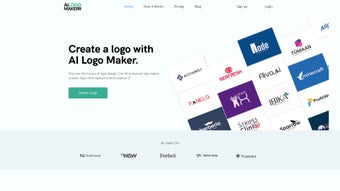
AI Logo Maker is a cloud‑native design application that eliminates the need for local installations or heavyweight software packages. By running entirely in the browser, it supports any modern operating system—Windows, macOS, Linux, Android, or iOS—provided you have a stable internet connection and a recent version of Chrome, Edge, Safari, or Firefox. The onboarding process is deliberately streamlined: after creating a free account, users are guided through a concise questionnaire that captures the brand name, tagline, industry, preferred colour palette, and style cues such as “minimalist,” “vintage,” or “tech‑forward.” Within 30 seconds, the AI engine produces a gallery of 5‑10 logo concepts, each ready for instant editing.
Because the platform is SaaS‑based, there are no download‑or‑install steps in the traditional sense. Users simply log in via the web portal, and all assets are stored securely in the cloud. This architecture ensures that every time you access the tool, you benefit from the latest AI model updates, new template releases, and security patches without any manual effort.
For teams, the system offers collaborative project folders, allowing multiple users to comment, suggest tweaks, or approve final designs in real time. While the free trial permits three logo generations with limited export options, the paid “Pro” and “Enterprise” tiers unlock unlimited revisions, vector‑ready file formats, and a full branding kit comprising business‑card templates, social‑media graphics, and email signature designs. Overall, the installation experience is frictionless, making AI Logo Maker an attractive choice for users who value immediacy and cross‑device accessibility.
Features, Benefits, and Critical Evaluation
Key Feature Set (itemprop="featureList")
- AI‑generated logo concepts in seconds based on brand inputs.
- Real‑time editor with unlimited colour, font, and layout tweaks.
- Export options include SVG, PNG, EPS, PDF, and JPG – all high‑resolution.
- Full commercial ownership of every exported asset, royalty‑free.
- 300+ ready‑made marketing templates (business cards, flyers, social posts).
- Automated branding guidelines that suggest colour palettes and typography.
- One‑click publishing to Facebook, Instagram, LinkedIn, and Twitter.
- Cloud storage for instant access from any device, plus version history.
- Multi‑language support for global brand launches.
- GDPR‑compliant data handling and encrypted payment processing.
Benefits That Matter
The primary advantage of AI Logo Maker is speed. Traditional design cycles often span weeks; this platform compresses concept generation to under a minute, dramatically reducing time‑to‑market. The intuitive questionnaire removes the intimidation factor for non‑designers, while the drag‑and‑drop editor satisfies power users seeking granular control. Full ownership of assets eliminates recurring royalty concerns, a common pain point when licensing logos from third‑party services. Additionally, the extensive template library ensures brand consistency across print and digital media without hiring a separate designer for each collateral piece.
From a business perspective, the subscription model scales well. Freelancers can start with the low‑cost monthly plan, while enterprises can negotiate volume licensing that includes dedicated account managers and custom AI model training. The cloud‑first architecture guarantees that teams working remotely can collaborate seamlessly, and automatic updates mean you always have access to the latest design trends and security standards.
Pros
- Lightning‑fast generation: AI creates polished concepts in under a minute.
- User‑friendly interface: Guided questionnaire and real‑time editing suit beginners and pros alike.
- Complete asset ownership: No hidden royalties; you own every file you download.
- All‑in‑one branding: Templates, guidelines, and social‑media export keep visual identity cohesive.
- Cross‑platform access: Works on any device with a modern browser.
- Secure & compliant: GDPR‑ready data handling and encrypted payments protect your brand information.
- Scalable pricing: Plans for freelancers, startups, and large enterprises.
Cons
- Internet reliance: No offline mode; a stable connection is mandatory.
- Limited free tier: The trial restricts export formats and the number of concepts.
- Iteration needed for uniqueness: Achieving a truly distinctive logo may require several keyword refinements.
- Template similarity: Some marketing templates follow popular trends, risking a “cookie‑cutter” appearance if not customized.
- Subscription lock‑in: Ongoing access to new AI models and templates depends on an active plan.
AI Logo Maker delivers on its promise of rapid, high‑quality logo creation while providing a comprehensive branding toolkit. The AI engine is impressively intuitive, and the cloud‑first design ensures you’re always working with the latest features. For most small to medium businesses, the pros far outweigh the minor drawbacks of internet dependence and the need for a subscription to unlock premium assets.
Frequently Asked Questions
Can I download the logo for free?
The free trial lets you generate up to three logo concepts, but downloading high‑resolution or vector files requires a paid subscription. This model lets you test the AI engine before committing.
Do I own the rights to the logo after purchase?
Yes. Once you complete a purchase, you receive full commercial ownership of the logo and all associated assets, with no royalty fees.
Is there a limit to how many times I can edit my logo?
No. As long as your subscription remains active, you can revisit saved projects, make unlimited edits, and re‑download updated files.
Which file formats are included in the download package?
Premium users receive SVG, PNG (transparent), EPS, PDF, and JPG files, covering everything from web icons to large‑format print.
Can I integrate the logo directly into my social media accounts?
Absolutely. One‑click export options are available for Facebook, Instagram, LinkedIn, and Twitter, along with recommended dimensions for each platform.
Is customer support available if I run into issues?
Paid users enjoy 24/7 email support and live chat during business hours, plus a comprehensive knowledge base with tutorials and community forums.
Conclusion – Should You Download AI Logo Maker?
After a thorough examination of speed, ease of use, feature depth, and overall value, AI Logo Maker stands out as a compelling solution for anyone seeking a professional logo without the traditional cost and time barriers. Its AI engine reliably produces a variety of concepts in seconds, the editor offers enough flexibility for both novices and seasoned designers, and the bundled branding assets keep visual identity consistent across all channels. While the necessity of an internet connection and the subscription model for premium features are valid considerations, the benefits—full ownership, cross‑platform accessibility, and continuous updates—make the platform a solid investment for startups, freelancers, and even larger enterprises looking to streamline their brand‑development workflow.
Ready to give your brand a professional look in minutes? Click the button below to start your free trial and experience AI Logo Maker’s powerful AI‑driven design process for yourself.



.png)



